mirror of
https://github.com/supabase/supabase.git
synced 2026-09-09 03:19:36 +08:00
create-pull-request/patch
8 Commits
| Author | SHA1 | Message | Date | |
|---|---|---|---|---|
 Saxon Fletcher
|
e0280cb650 |
docs: restructure observability navigation and overview (#49505)
<!-- CURSOR_AGENT_PR_BODY_BEGIN --> ## Stack Draft stack extracted from `docs/monitoring`. Merge bottom-up. The troubleshooting *catalog* rewrite (`content/troubleshooting` and the Diagnosing UI) stays out of scope. 1. #49503 move inspect and advisors 2. #49501 split Studio logs from ClickHouse queries 3. #49500 treat reports as signal dashboards 4. #49502 add Observe the data hub 5. #49506 add agent setup components 6. #49504 add hire-an-agent templates 7. **#49505** restructure observability nav, overview, Detecting, and flatten Observe the data ← **this PR** ## I have read the [CONTRIBUTING.md](https://github.com/supabase/supabase/blob/master/CONTRIBUTING.md) file. YES ## What kind of change does this PR introduce? Docs update. Top layer in the observability stack. ## What is the current behavior? The section is still titled Monitoring and Debugging, with a Debugging / Monitoring split that does not match the new pages. The debugging guide is still the master layer-isolation + symptom table. Observe the data is split into “what data” vs “where to observe it,” which duplicates the source pages. ## What is the new behavior? - Section title is Observability - Overview groups Observe the data, Detect and resolve, Hire an agent, and Export - **Observe the data is flattened by source.** Logs, Metrics API, Database, Advisors, and Reports each list where to read that source. There is no separate MCP/API/CLI/Studio nav group. - **Observe vs Detecting:** Observe is the catalog (what exists, how to access it). Detecting is how to *use* those sources to pick up a Health / Security / Performance / Usage signal. Named errors skip to Diagnosing. - Studio Logs sits under Logs. Reports sits beside the other sources. - Troubleshooting stays in the global menu and also appears as Diagnosing under Detect and resolve ## Additional context This is the last PR in the stack. Together the seven PRs reconstruct the `docs/monitoring` observability IA and guide content, without shipping the troubleshooting catalog overhaul. <!-- CURSOR_AGENT_PR_BODY_END --> <div><a href="https://cursor.com/agents/bc-a3cb5ece-925b-4046-b58a-5d69e9a9d794?cursor_ref=pr_footer&cursor_cta=open_in_web"><picture><source media="(prefers-color-scheme: dark)" srcset="https://cursor.com/assets/images/open-in-web-dark.png"><source media="(prefers-color-scheme: light)" srcset="https://cursor.com/assets/images/open-in-web-light.png"><img alt="Open in Web" width="114" height="28" src="https://cursor.com/assets/images/open-in-web-dark.png"></picture></a> <a href="https://cursor.com/background-agent?bcId=bc-a3cb5ece-925b-4046-b58a-5d69e9a9d794&cursor_ref=pr_footer&cursor_cta=open_in_cursor"><picture><source media="(prefers-color-scheme: dark)" srcset="https://cursor.com/assets/images/open-in-cursor-dark.png"><source media="(prefers-color-scheme: light)" srcset="https://cursor.com/assets/images/open-in-cursor-light.png"><img alt="Open in Cursor" width="131" height="28" src="https://cursor.com/assets/images/open-in-cursor-dark.png"></picture></a> </div> --------- Co-authored-by: Cursor Agent <cursoragent@cursor.com> Co-authored-by: Saxon Fletcher <SaxonF@users.noreply.github.com> Co-authored-by: Nik Richers <nik@validmind.ai> |
||
|
Saxon Fletcher
|
6f2effd9e2 |
docs: add hire-an-agent templates for observability routines (#49504)
<!-- CURSOR_AGENT_PR_BODY_BEGIN --> ## Stack Draft stack extracted from `docs/monitoring`. Merge bottom-up. Troubleshooting / debugging-guide rewrite is out of scope. 1. #49503 move inspect and advisors 2. #49501 split Studio logs from ClickHouse queries 3. #49500 treat reports as signal dashboards 4. #49502 add Observe the data hub 5. #49506 add agent setup components 6. **#49504** add hire-an-agent templates ← **this PR** 7. #49505 restructure observability nav and overview ## I have read the [CONTRIBUTING.md](https://github.com/supabase/supabase/blob/master/CONTRIBUTING.md) file. YES ## What kind of change does this PR introduce? Docs update. Sixth layer in the observability stack. ## What is the current behavior? Humans and agents have no packaged, copy-paste observability routines to run in their own harness. ## What is the new behavior? - Hire an agent hub plus Doctor, Security officer, Personal trainer, and Accountant - Each page is a prompt + schedule + harness setup (Claude, Codex, Cursor) - MCP security guidance covers unattended read-only monitoring on production ## Additional context These pages are the agent-facing templates from the prototype. #49505 puts them in the Observability overview and sidebar. <!-- CURSOR_AGENT_PR_BODY_END --> <div><a href="https://cursor.com/agents/bc-a3cb5ece-925b-4046-b58a-5d69e9a9d794?cursor_ref=pr_footer&cursor_cta=open_in_web"><picture><source media="(prefers-color-scheme: dark)" srcset="https://cursor.com/assets/images/open-in-web-dark.png"><source media="(prefers-color-scheme: light)" srcset="https://cursor.com/assets/images/open-in-web-light.png"><img alt="Open in Web" width="114" height="28" src="https://cursor.com/assets/images/open-in-web-dark.png"></picture></a> <a href="https://cursor.com/background-agent?bcId=bc-a3cb5ece-925b-4046-b58a-5d69e9a9d794&cursor_ref=pr_footer&cursor_cta=open_in_cursor"><picture><source media="(prefers-color-scheme: dark)" srcset="https://cursor.com/assets/images/open-in-cursor-dark.png"><source media="(prefers-color-scheme: light)" srcset="https://cursor.com/assets/images/open-in-cursor-light.png"><img alt="Open in Cursor" width="131" height="28" src="https://cursor.com/assets/images/open-in-cursor-dark.png"></picture></a> </div> --------- Co-authored-by: Cursor Agent <cursoragent@cursor.com> Co-authored-by: Saxon Fletcher <SaxonF@users.noreply.github.com> Co-authored-by: Steven Eubank <eubank.steven88@gmail.com> |
||
|
Saxon Fletcher
|
36d2982af4 |
docs: add reusable monitoring agent setup components (#49506)
<!-- CURSOR_AGENT_PR_BODY_BEGIN --> ## Stack Draft stack extracted from `docs/monitoring`. Merge bottom-up. Troubleshooting / debugging-guide rewrite is out of scope. 1. #49503 move inspect and advisors 2. #49501 split Studio logs from ClickHouse queries 3. #49500 treat reports as signal dashboards 4. #49502 add Observe the data hub 5. **#49506** add agent setup components ← **this PR** 6. #49504 add hire-an-agent templates 7. #49505 restructure observability nav and overview ## I have read the [CONTRIBUTING.md](https://github.com/supabase/supabase/blob/master/CONTRIBUTING.md) file. YES ## What kind of change does this PR introduce? Docs app feature (MDX components + markdown export). Fifth layer in the observability stack. ## What is the current behavior? There is no shared way to render a monitoring agent prompt, schedule, and Claude/Codex/Cursor setup instructions in both HTML and generated markdown. ## What is the new behavior? - `AgentSetup` and `AgentWatchSchedule` MDX components, registered for HTML and markdown export - Shared `monitoring-agents` data (cadence, prompt ids, harness steps) - Opt-in `AiPrompt` markdown export (`includeInMarkdown`) so quickstarts stay HTML-only - Optional content-listing `subtitle` for schedule labels on cards No agent guide pages yet — those land in #49504 so this PR stays a reviewable code change. ## Additional context Markdown schema handlers share the same data module as the React components. <!-- CURSOR_AGENT_PR_BODY_END --> <div><a href="https://cursor.com/agents/bc-a3cb5ece-925b-4046-b58a-5d69e9a9d794?cursor_ref=pr_footer&cursor_cta=open_in_web"><picture><source media="(prefers-color-scheme: dark)" srcset="https://cursor.com/assets/images/open-in-web-dark.png"><source media="(prefers-color-scheme: light)" srcset="https://cursor.com/assets/images/open-in-web-light.png"><img alt="Open in Web" width="114" height="28" src="https://cursor.com/assets/images/open-in-web-dark.png"></picture></a> <a href="https://cursor.com/background-agent?bcId=bc-a3cb5ece-925b-4046-b58a-5d69e9a9d794&cursor_ref=pr_footer&cursor_cta=open_in_cursor"><picture><source media="(prefers-color-scheme: dark)" srcset="https://cursor.com/assets/images/open-in-cursor-dark.png"><source media="(prefers-color-scheme: light)" srcset="https://cursor.com/assets/images/open-in-cursor-light.png"><img alt="Open in Cursor" width="131" height="28" src="https://cursor.com/assets/images/open-in-cursor-dark.png"></picture></a> </div> --------- Co-authored-by: Cursor Agent <cursoragent@cursor.com> Co-authored-by: Saxon Fletcher <SaxonF@users.noreply.github.com> |
||
|
Danny White
|
c0f1ef51fb |
feat(docs): migrate resources and getting-started to ContentListings (#48517)
## What kind of change does this PR introduce? Docs update / follow-up to #48379. ## What is the current behavior? `/guides/resources` and `/guides/getting-started` hand-roll `GlassPanel` grids in MDX. They look like ContentListings cards after the chrome PR, but they do not use the shared data files, so they miss PostHog `docs_content_listing_clicked` telemetry and the CONTRIBUTING contribution path. ## What is the new behavior? Those pages use `<ContentListings id="…" />` backed by `resources.data.ts` and `getting-started.data.ts`, same pattern as storage. - Section-level `$Show` wrappers stay for framework / web / mobile blocks - Nimbus stays a `$Partial` behind `$Show` - New optional per-item `feature` field gates SDK links (e.g. Flutter / Swift / Kotlin) without splitting whole sections - CONTRIBUTING notes when to use `feature` vs a partial-level `$Show` ## To test Compare the following against `master`: - [Resources](https://docs-git-dnywh-docs-content-listings-resources-239158-supabase.vercel.app/docs/guides/resources): overview, migrate, and postgres grids; icons in light/dark - [Getting started](https://docs-git-dnywh-docs-content-listings-resources-239158-supabase.vercel.app/docs/guides/getting-started): overview, use cases, framework quickstarts, web demos, mobile tutorials; nimbus partial when enabled - Click a card and confirm `docs_content_listing_clicked` fires with the expected `listingId` Everything should look and feel the same. It’s just that we’re using `ContentListings` instead of `GlassPanel` grids. <!-- This is an auto-generated comment: release notes by coderabbit.ai --> ## Summary by CodeRabbit - **New Features** - Added centralized Getting Started and Resources content listings, including quickstarts, demos, tutorials, migration guides, and Postgres resources. - Added feature-based visibility controls for individual content listing items. - **Improvements** - Disabled content is now automatically hidden from documentation pages and generated Markdown. - Pages and sections with no available content are omitted entirely. - External documentation links are more secure. - Updated contribution guidance with instructions and examples for feature flags. <!-- end of auto-generated comment: release notes by coderabbit.ai --> |
||
|
Steven Eubank
|
bf5a729f2d |
docs(telemetry): rename section and restructure as Monitoring and Debugging (#48243)
## Summary - Renames the **Telemetry** nav section to **Monitoring and Debugging** (nav label + sidebar title) - Rewrites the section overview (`telemetry.mdx`) as a clean navigation page using `ContentListings` — three panels (Debugging / Monitoring / AI & automation) with no how-to prose - Adds new `telemetry.data.ts` content-listings data file with three groups registered in `index.ts` - Adds a new **Debugging** guide (`debugging.mdx`) — request-stack model, symptom-to-layer router with troubleshooting links for every service, logging guidance - Adds cross-links between `debugging.mdx`, `logs.mdx`, and `advanced-log-filtering.mdx` - Adds a new **AI agents and MCP** page (`ai-agents.mdx`) — MCP tools table, `get_logs` usage, debugging skill workflow - Restructures sidebar into three groups: **Debugging** / **Monitoring** / **AI & automation** ## Motivation - No central entry point existed for debugging — content was scattered across products with no index - The overview page had almost no links for agents to follow - The section name "Telemetry" caused confusion (also used for CLI usage telemetry) - Unblocks the `supabase` debugging skill, which routes agents to this section as its source of truth ## Test plan - [ ] `/docs/guides/telemetry` — three ContentListings panels render, no prose how-to text - [ ] `/docs/guides/telemetry.md` (markdown) — clean link list, navigable by LLMs - [ ] `/docs/guides/telemetry/debugging` — renders correctly, symptom table links resolve - [ ] `/docs/guides/telemetry/ai-agents` — new page renders correctly - [ ] Sidebar shows 3 groups: Debugging / Monitoring / AI & automation - [ ] All cross-links between debugging, logs, and advanced-log-filtering resolve <!-- This is an auto-generated comment: release notes by coderabbit.ai --> ## Summary by CodeRabbit ## Summary - **New Features** - Added new documentation coverage for AI agent–assisted monitoring and debugging, including an observability-driven troubleshooting workflow. - **Documentation** - Updated the “Telemetry” area to “Monitoring and Debugging” with a refreshed landing page and reorganized sections (Debugging, Monitoring, and AI). - Revised the debugging and logs guides to improve step-by-step guidance and highlight advanced log filtering. - **Navigation** - Renamed and restructured the top-level navigation entry to reflect the new Monitoring and Debugging content layout. <!-- end of auto-generated comment: release notes by coderabbit.ai --> --------- Co-authored-by: Claude Sonnet 4.6 <noreply@anthropic.com> Co-authored-by: Jeremias Menichelli <jmenichelli@gmail.com> |
||
|
Steven Eubank
|
751dcecf86 |
docs(log-drains): overhaul page style and add missing Last9 + Syslog … (#48140)
## Summary Brings the Log Drains docs up to the same standard as the Metrics API page. - Replaces the plain destination table with a visual `LogDrainDestinationCards` component — a 3-column card grid that mirrors the product UI destination picker. Cards link to anchors on the same page (no sub-pages needed since setup is simpler than Metrics). - Adds a "What you can do" intro section and a consistent "Required configuration + Steps" structure for every destination. - Adds two destinations that were missing from the docs entirely: **Last9** and **Syslog** (both are live in the product). Config fields sourced from `LogDrainDestinationSheetForm.tsx`. - Cleans up raw `<ul><li>` HTML to markdown lists. - Adds an "Additional resources" footer (pricing, Metrics API, JS SDK tracing). ## Files changed - `apps/docs/content/guides/telemetry/log-drains.mdx` — core of the changes - `apps/docs/components/LogDrainDestinationCards.tsx` — new card grid component - `apps/docs/components/LogDrainDestinationCards.data.ts` — destination data (9 entries) - `apps/docs/internals/markdown-schema/LogDrainDestinationCards.ts` — markdown fallback renderer - `apps/docs/features/docs/MdxBase.shared.tsx` — register new component - `apps/docs/internals/generate-guides-markdown.ts` — register new component ## I have read the [CONTRIBUTING.md](https://github.com/supabase/supabase/blob/master/CONTRIBUTING.md) file. YES ## What kind of change does this PR introduce? docs update ## What is the current behavior? not supanice, also missing syslog and last9 <img width="619" height="687" alt="image" src="https://github.com/user-attachments/assets/58e8f07c-eb40-4d30-a5e2-3988d1af87c2" /> ## What is the new behavior? hopefully more supanice, also added syslog and last9 <img width="568" height="667" alt="image" src="https://github.com/user-attachments/assets/be61e67f-58aa-4e8c-be0d-44206f1b16de" /> ## Additional context <!-- This is an auto-generated comment: release notes by coderabbit.ai --> ## Summary by CodeRabbit * **Documentation** * Reorganized the Log Drains guide with destination-specific sections and a new destination chooser. * Added support and setup guidance for Last9 and Syslog destinations. * Clarified HTTP batching, JSON delivery, compression, authentication, and endpoint requirements. * Updated OpenTelemetry, Datadog, Loki, Amazon S3, Sentry, and Axiom instructions. * Added Edge Function examples covering compressed and uncompressed payloads. * Added links to pricing, Metrics API, and JavaScript tracing resources. * **UI Improvements** * Updated destination listings with clearer, consistent icons and presentation. <!-- end of auto-generated comment: release notes by coderabbit.ai --> --------- Co-authored-by: github-actions[bot] <41898282+github-actions[bot]@users.noreply.github.com> Co-authored-by: Nik Richers <nik@validmind.ai> |
||
|
Miranda Limonczenko
|
a9115b694f |
fix(docs) Prevent dashboard links from breaking (#47897)
Closes DOCS-1174 ## I have read the [CONTRIBUTING.md](https://github.com/supabase/supabase/blob/master/CONTRIBUTING.md) file. YES ## Problem Links from docs to studio can break. There's no way to programmatically check. ## Solution Add a unit test to check that `/dashboard` relative links from docs is absolute. ## Testing 1. Pull this branch to your local machine. 1. Break the link in `apps/docs/data/content-listings/database.data.ts` — change: `href: 'https://supabase.com/dashboard/project/_/sql',` to: `href: '/dashboard/project/_/sql',` 1. Run: cd `apps/docs && pnpm exec vitest run lib/content-listings.test.ts`. You should see dashboard content listing hrefs fail. Restore the absolute URL when you’re done. <!-- This is an auto-generated comment: release notes by coderabbit.ai --> ## Summary by CodeRabbit * **Tests** * Added validation to ensure dashboard links in documentation content listings use complete, canonical URLs. * Added coverage for identifying dashboard links across all content listing groups. <!-- end of auto-generated comment: release notes by coderabbit.ai --> |
||
|
Nik Richers
|
635b2d6050 |
docs: standardise next steps on overview pages with content listings (#47097)
## I have read the CONTRIBUTING.md file. YES ## What kind of change does this PR introduce? This PR helps standardise link sections which is useful for overview pages that frequently use similar sections such as "Next steps", "Get started", or "Examples". Six high-traffic overview pages are migrated as a pilot, with a skill in the new [supabase/docs-agent-skills](https://github.com/supabase/docs-agent-skills) repo to audit and convert the rest in a follow-on PR. Refactored from an initial YAML front matter approach per review feedback from @jeremenichelli. Now implemented as a React component and using existing linting & Markdown export functionality. A second round of review feedback further simplified the architecture: the per-listing component registry was removed in favor of a single `<ContentListings id="..." />` component backed by an ID-keyed data lookup, the listing data moved out of `apps/docs/components/` into `apps/docs/data/content-listings/`, the listing-specific link wrapper was replaced with the existing `<Link>` + `<GlassPanel>` pattern from the rest of the docs, and the headings now defer to the shared `<Heading>` from `MdxBase.shared.tsx` (no parallel marker-to-tag mapping, no typography overrides). Great feedback, thank you! 🙏 Relates to DOCS-1032. ## What is the current behavior? Authors implement these sections however they wish. As a result, overview and index pages use inconsistent patterns for orientation links: some use hand-rolled Markdown lists, some use custom panel/grid components, some use buttons, and some have no guidance about where to go next at all. There is no shared component for these sections and no analytics on those clicks. ## What is the new behavior? Authors add orientation sections in two steps: 1. Define listing data in a `.data.ts` file under `apps/docs/data/content-listings/` (for example, `storage.data.ts`). Each `ContentListingGroup` has a globally-unique `id` like `storage-get-started`. 2. Place a single `<ContentListings id="..." />` component inline in guide MDX. The ID is also the telemetry `listingId`, so the same value disambiguates the section in PostHog dashboards. Grid and list layouts, optional icons (such as `/docs/img/icons/github-icon` with `-light.svg` variants for dark mode), and external URLs are supported. Conditionals that use `$Show` around inline components are also supported, for example for auth pricing. ### Usage example from "Storage" overview page `apps/docs/data/content-listings/storage.data.ts`: ```ts export const storageGetStarted: ContentListingGroup = { id: 'storage-get-started', heading: 'Get started', description: 'Choose the bucket type that fits your use case:', type: 'grid', items: [ { title: 'Files buckets', href: '/guides/storage/quickstart', description: 'Store and serve images, videos, documents, and general-purpose files with direct URL access and row-level security.', }, { title: 'Analytics buckets', href: '/guides/storage/analytics/introduction', description: 'Store data in Apache Iceberg tables for data lakes, logs, and ETL. Query from Postgres via foreign tables with partitioning.', }, { title: 'Vector buckets', href: '/guides/storage/vector/introduction', description: 'Store embeddings and run similarity search for semantic matching, AI, and RAG. Use HNSW indexing, distance metrics, and metadata filtering.', }, ], } ``` `apps/docs/content/guides/storage.mdx`: ```mdx <ContentListings id="storage-get-started" /> ``` Renders as: <img width="689" alt="Storage Get started listing — Files, Analytics, and Vector buckets" src="https://github.com/user-attachments/assets/0d1b9531-962f-40ae-891e-b1e93ff1c939" /> <br>Exported in Markdown as: ```md ## Get started Choose the bucket type that fits your use case: - **[Files buckets](/docs/guides/storage/quickstart):** Store and serve images, videos, documents, and general-purpose files with direct URL access and row-level security. - **[Analytics buckets](/docs/guides/storage/analytics/introduction):** Store data in Apache Iceberg tables for data lakes, logs, and ETL. Query from Postgres via foreign tables with partitioning. - **[Vector buckets](/docs/guides/storage/vector/introduction):** Store embeddings and run similarity search for semantic matching, AI, and RAG. Use HNSW indexing, distance metrics, and metadata filtering. ``` Click tracking fires via PostHog (`docs_content_listing_clicked`): ```json { "action": "docs_content_listing_clicked", "custom_properties": { "targetPath": "/guides/storage/quickstart", "linkTitle": "Files buckets", "groupTitle": "Get started", "listingId": "storage-get-started" } } ``` Still finding my way around PostHog, but I verified on preview deploy that clicking a content listing on `/docs/guides/auth` sends `docs_content_listing_clicked` to `https://api.supabase.green/platform/telemetry/event` and receives HTTP 201. ### Authoring experience Three ways to add or convert content listings: copy the agent prompt first, use snippets for manual edits, or invoke the audit skill for batch follow-on work. Refer to `CONTRIBUTING.md` for the full authoring guide. #### 1. Agent prompt Copy into Cursor or another AI assistant: ```text Add a content listing block for [TOPIC] / [SECTION] (for example, Storage / Examples). Follow CONTRIBUTING § Content listings in apps/docs. - Add data to apps/docs/data/content-listings/[topic].data.ts - Use a globally-unique kebab-case id like `[topic]-[section]` - Place inline in the guide MDX with <ContentListings id="..." /> - Copy structure from storageGetStarted in apps/docs/data/content-listings/storage.data.ts - Run pnpm test:local lib/content-listings.test.ts from apps/docs ``` #### 2. VS Code / Cursor snippets Type these prefixes in the docs workspace (`.vscode/content-listing.code-snippets`): | Prefix | Inserts | | ----------- | -------------------------------------------------------- | | `cl-data` | `ContentListingGroup` export skeleton with namespaced id | | `cl-inline` | `<ContentListings id="…" />` in guide MDX | <img width="658" height="274" alt="image" src="https://github.com/user-attachments/assets/5ef20954-7aee-4925-887d-79a5ae766b37" /> #### 3. Batch audit skill For follow-on overview page conversion or maintenance, use the [`audit-content-listings`](https://github.com/supabase/docs-agent-skills/blob/main/.claude/skills/audit-content-listings/SKILL.md) skill in `docs-agent-skills` (skill, `conversion-manifest.json`, and validation script). Example: ```text Use audit-content-listings. Audit getting-started.mdx, update conversion-manifest.json, then convert the next unconverted section only. ``` ## Additional context The implementation includes a presentational `<ContentListings />` component (grid/list layouts, GlassPanel, telemetry) backed by ID-keyed data modules, and a single markdown export handler that reads the same `id` prop from the JSX and looks up data via the shared registry. Key files: - **Data:** `apps/docs/data/content-listings/` (one `.data.ts` file per guide topic, plus `index.ts` exporting `CONTENT_LISTINGS` and `getContentListingById`) - **Renderer:** `apps/docs/components/ContentListings/` (single `<ContentListings id="…" />` component); registered in `apps/docs/features/docs/MdxBase.shared.tsx` - **Types/helpers:** `apps/docs/lib/content-listings.schema.ts` (zod schemas, type aliases, grid/heading/href helpers) - **Markdown export:** `apps/docs/internals/markdown-schema/Listings.ts` (single ID-driven handler) wired into `apps/docs/internals/generate-guides-markdown.ts` - **Telemetry:** `docs_content_listing_clicked` defined in `packages/common/telemetry-constants.ts`, fired from `ContentListings.client.tsx` - **Authoring guide:** `apps/docs/CONTRIBUTING.md` (Components and elements → Content listings) - **VS Code snippets:** `.vscode/content-listing.code-snippets` (`cl-data`, `cl-inline`) ### Before & After #### Auth | [Before (production)](https://supabase.com/docs/guides/auth) | [After (preview)](https://docs-git-fork-nrichers-nikrichers-docs-1032-sta-e2a8cb-supabase.vercel.app/docs/guides/auth) | | --------------------------------------------------------------------------------------------------------------------------- | --------------------------------------------------------------------------------------------------------------------------- | | 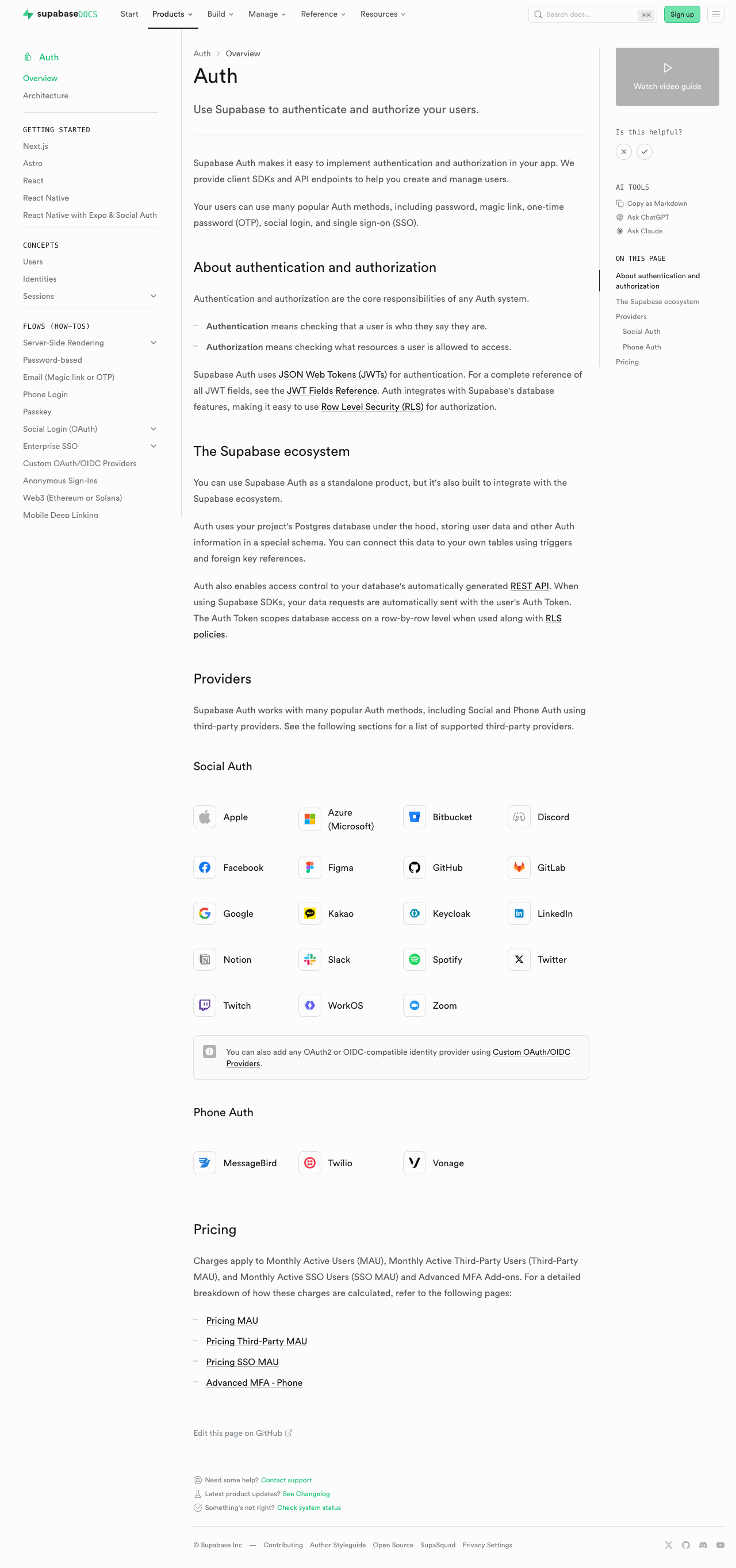 | 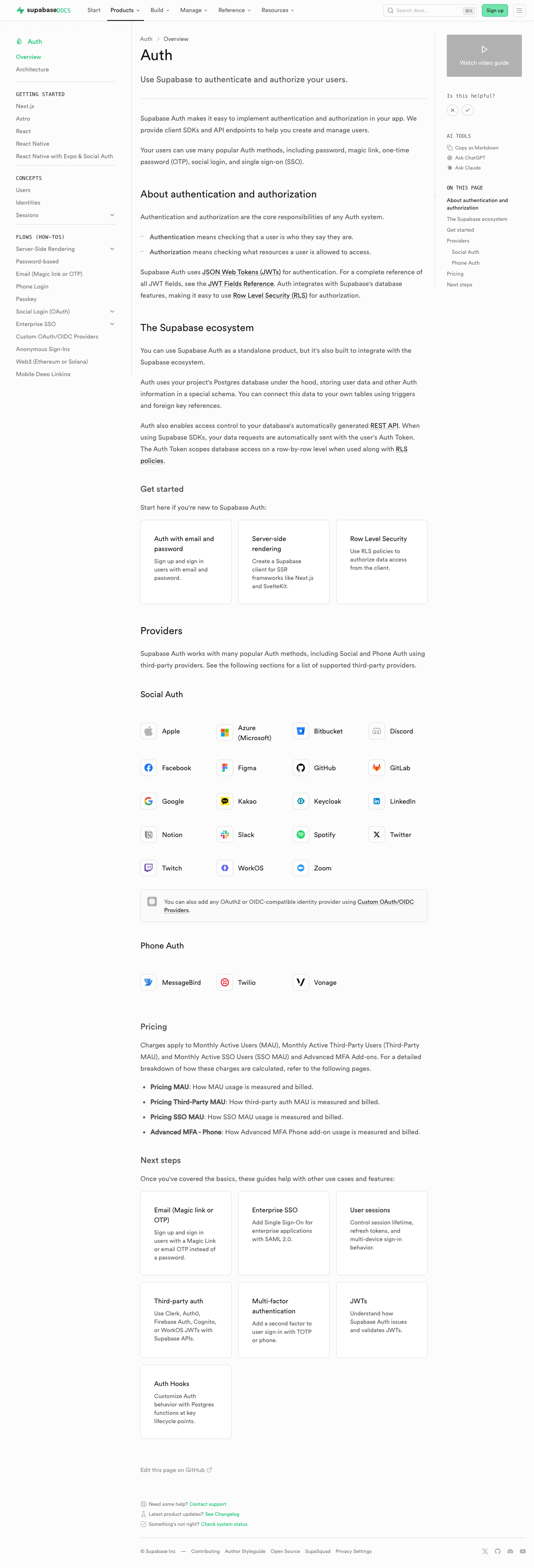 | #### Database overview | [Before (production)](https://supabase.com/docs/guides/database/overview) | [After (preview)](https://docs-git-fork-nrichers-nikrichers-docs-1032-sta-e2a8cb-supabase.vercel.app/docs/guides/database/overview) | | -------------------------------------------------------------------------------------------------------------------------------------------------- | -------------------------------------------------------------------------------------------------------------------------------------------------- | | 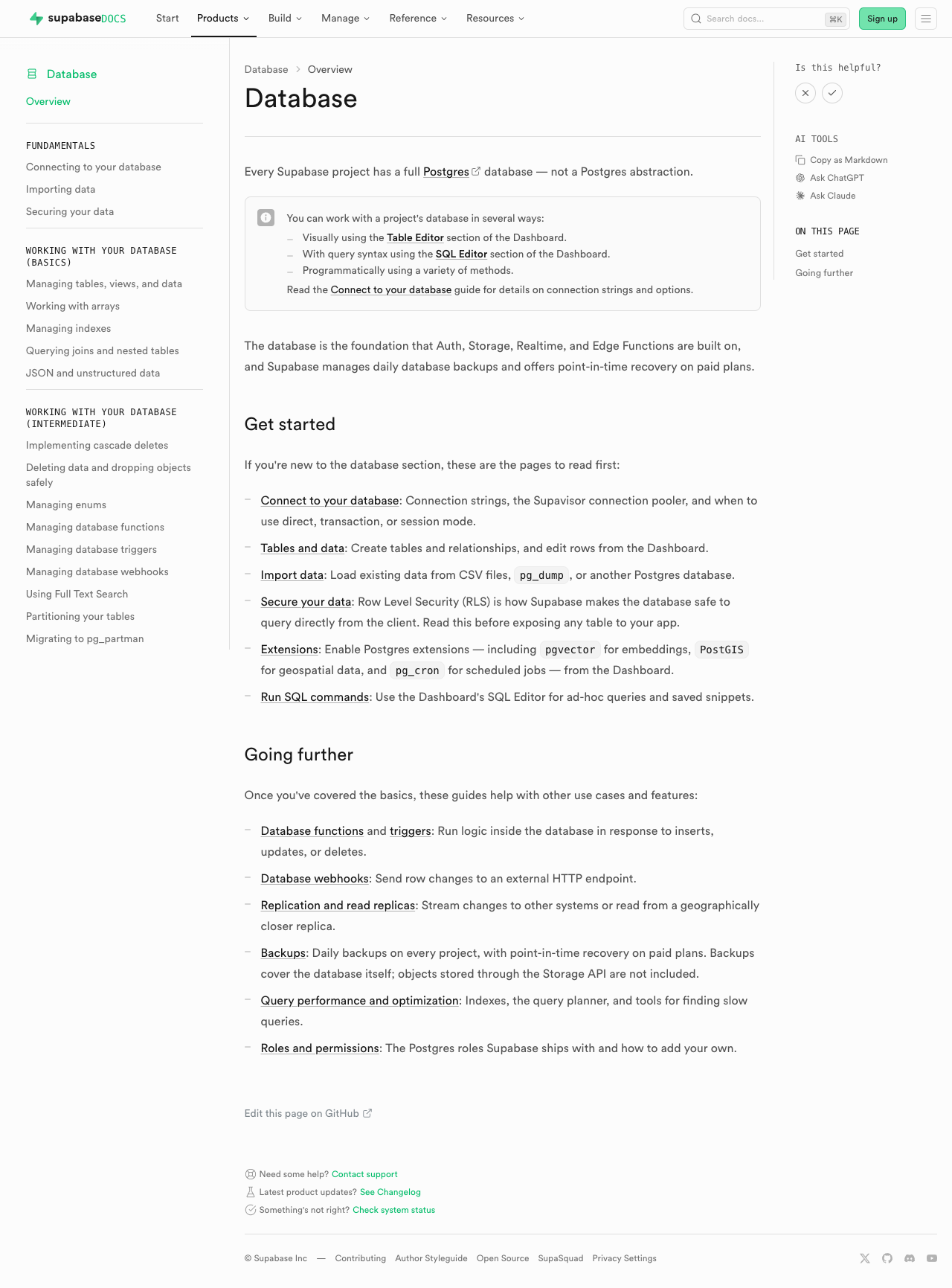 | 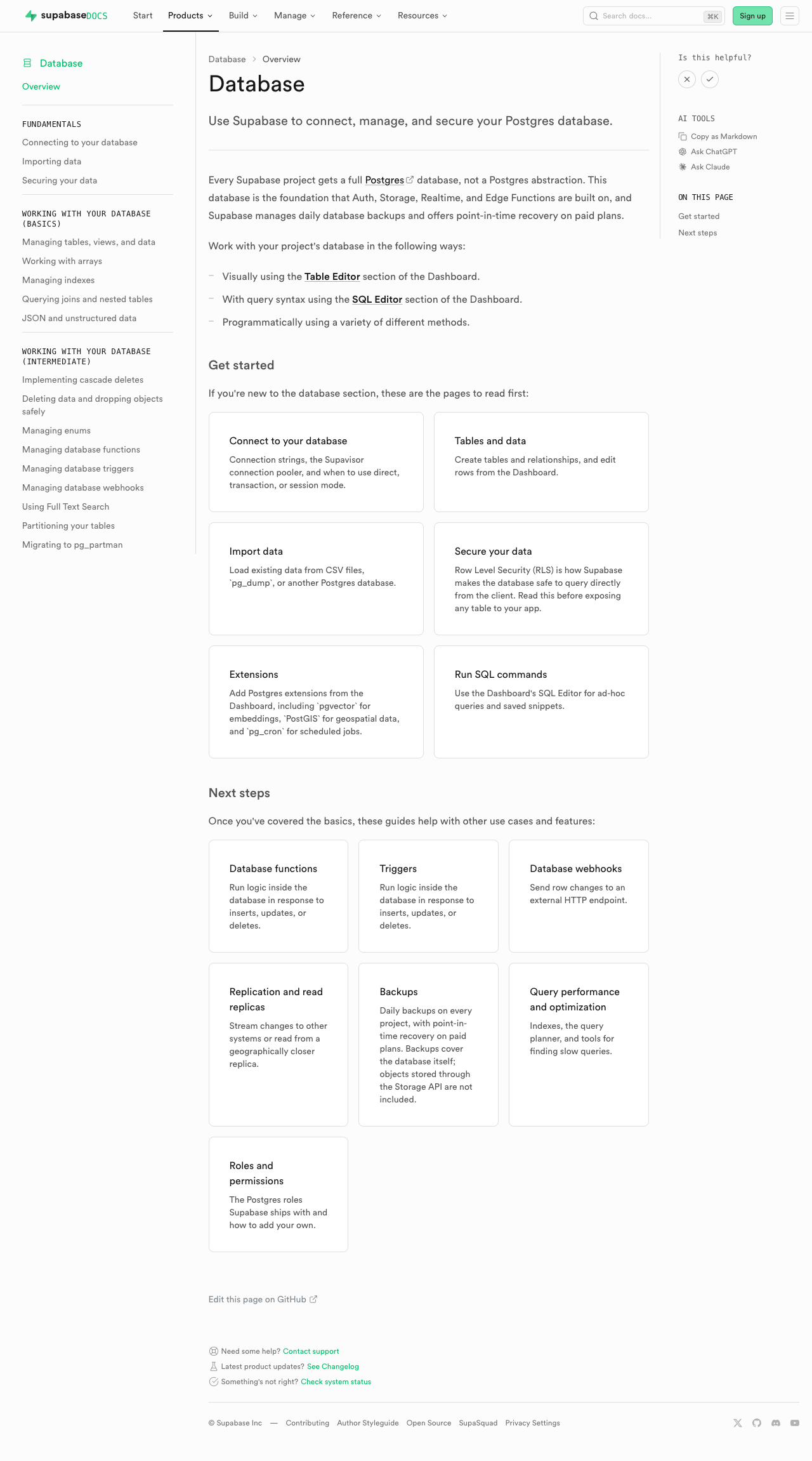 | #### Edge Functions | [Before (production)](https://supabase.com/docs/guides/functions) | [After (preview)](https://docs-git-fork-nrichers-nikrichers-docs-1032-sta-e2a8cb-supabase.vercel.app/docs/guides/functions) | | -------------------------------------------------------------------------------------------------------------------------------------------- | -------------------------------------------------------------------------------------------------------------------------------------------- | | 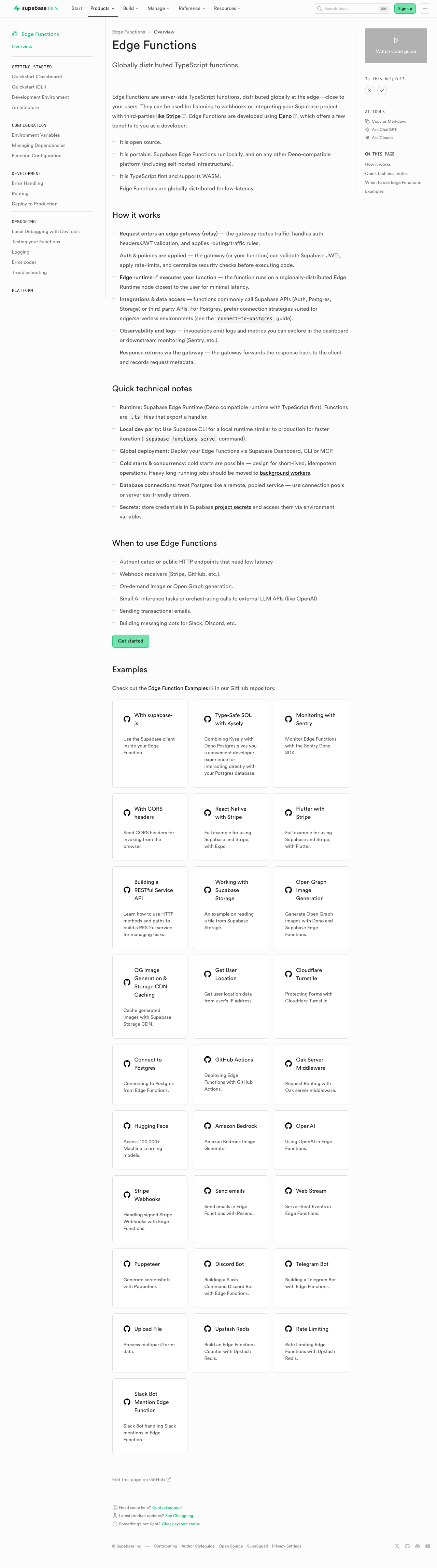 | 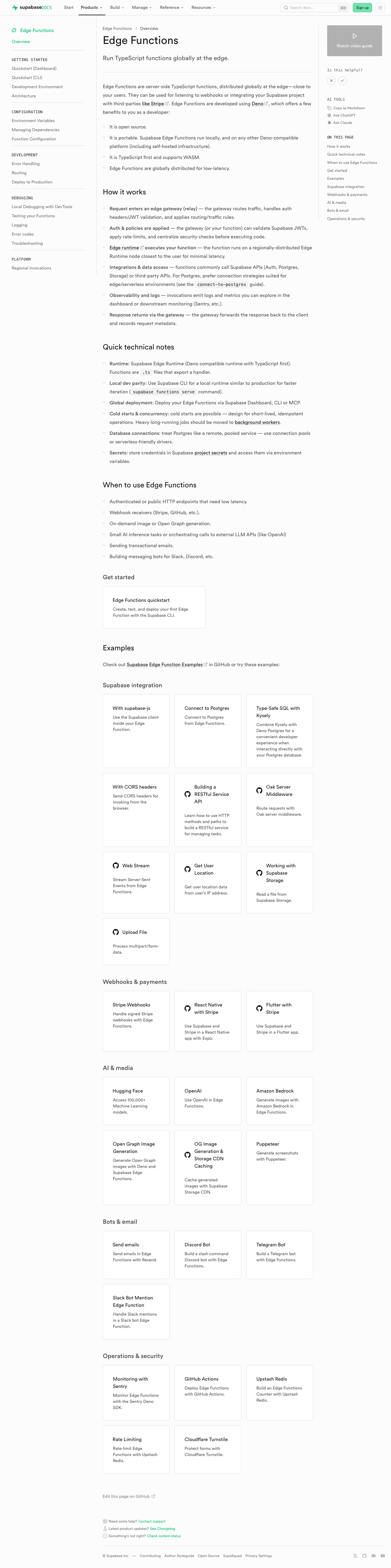 | #### Storage | [Before (production)](https://supabase.com/docs/guides/storage) | [After (preview)](https://docs-git-fork-nrichers-nikrichers-docs-1032-sta-e2a8cb-supabase.vercel.app/docs/guides/storage) | | ---------------------------------------------------------------------------------------------------------------------------------------- | ---------------------------------------------------------------------------------------------------------------------------------------- | | 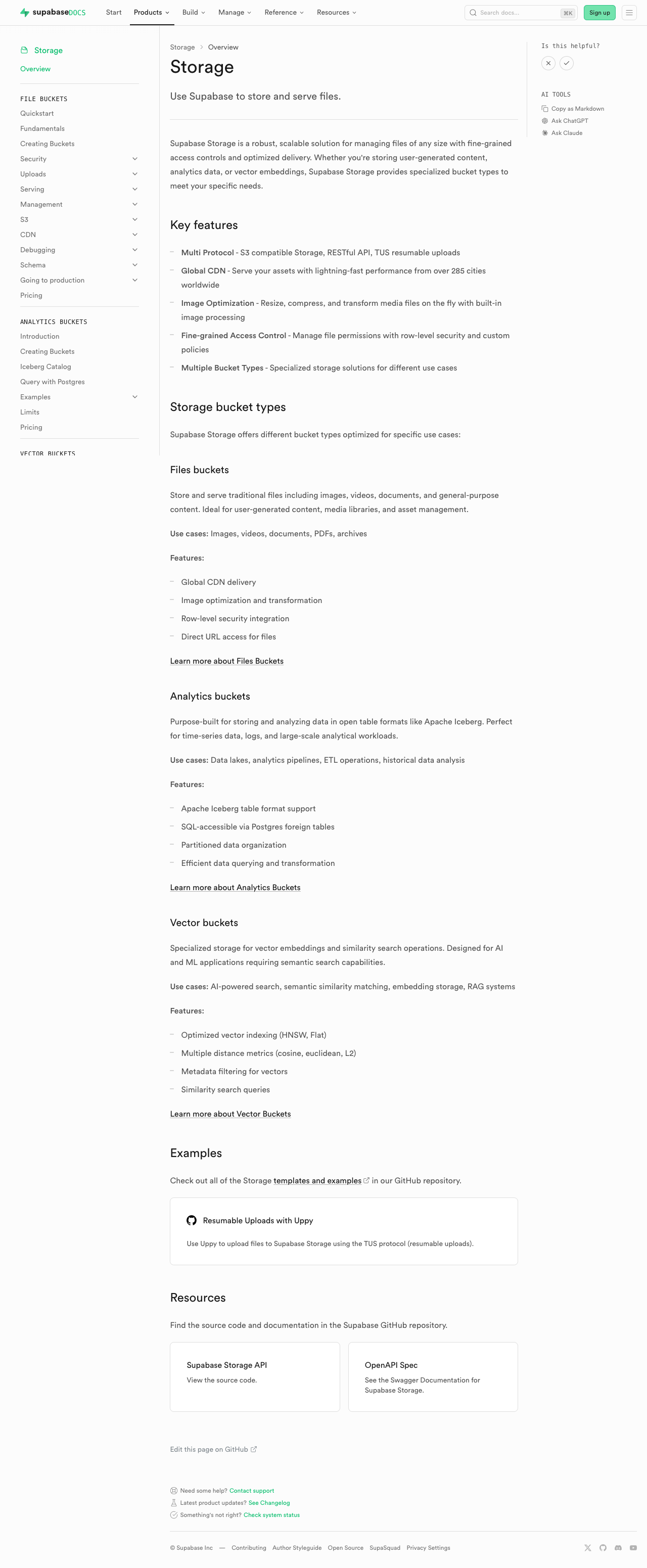 | 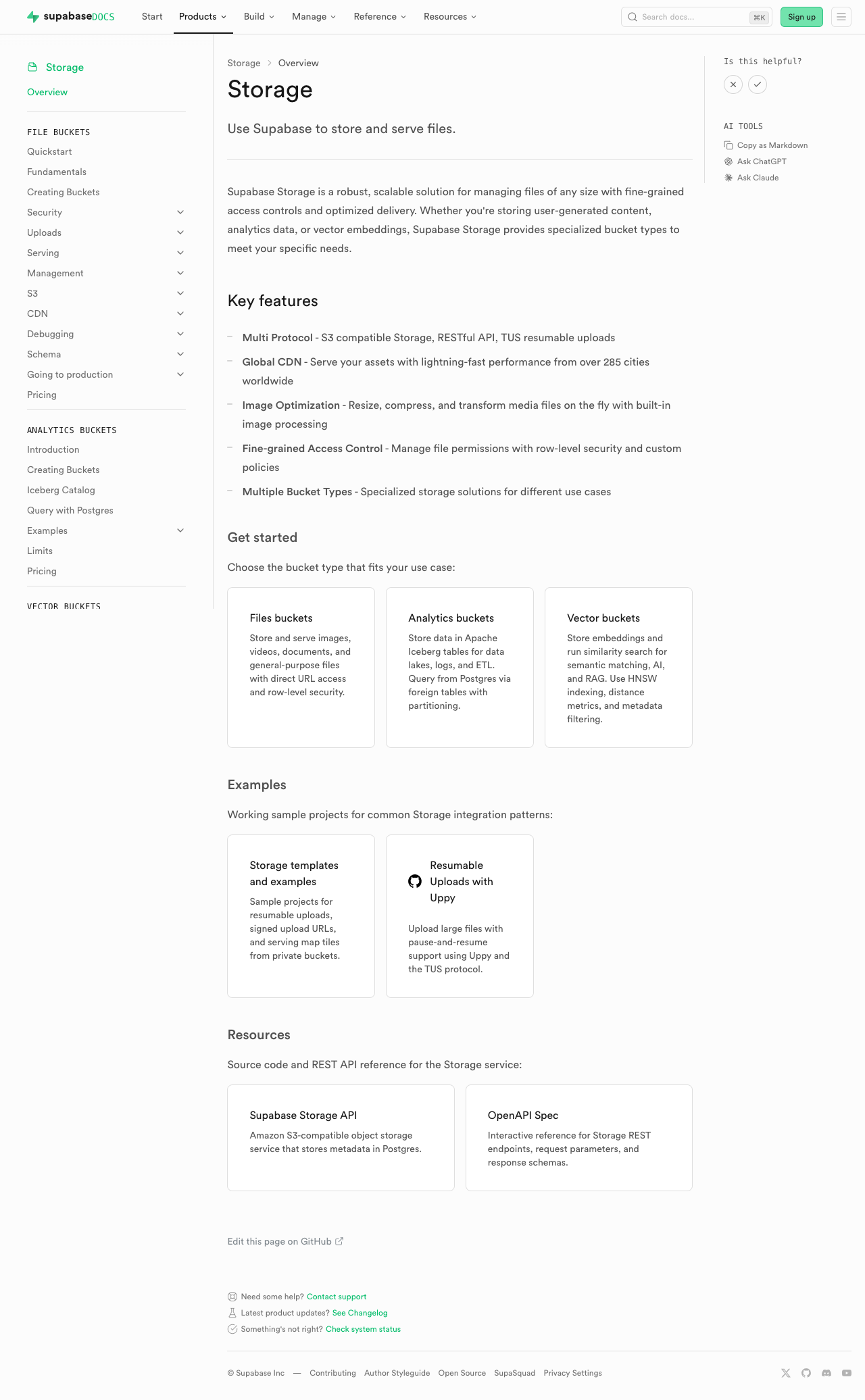 | #### Realtime | [Before (production)](https://supabase.com/docs/guides/realtime) | [After (preview)](https://docs-git-fork-nrichers-nikrichers-docs-1032-sta-e2a8cb-supabase.vercel.app/docs/guides/realtime) | | ------------------------------------------------------------------------------------------------------------------------------------------- | ------------------------------------------------------------------------------------------------------------------------------------------- | | 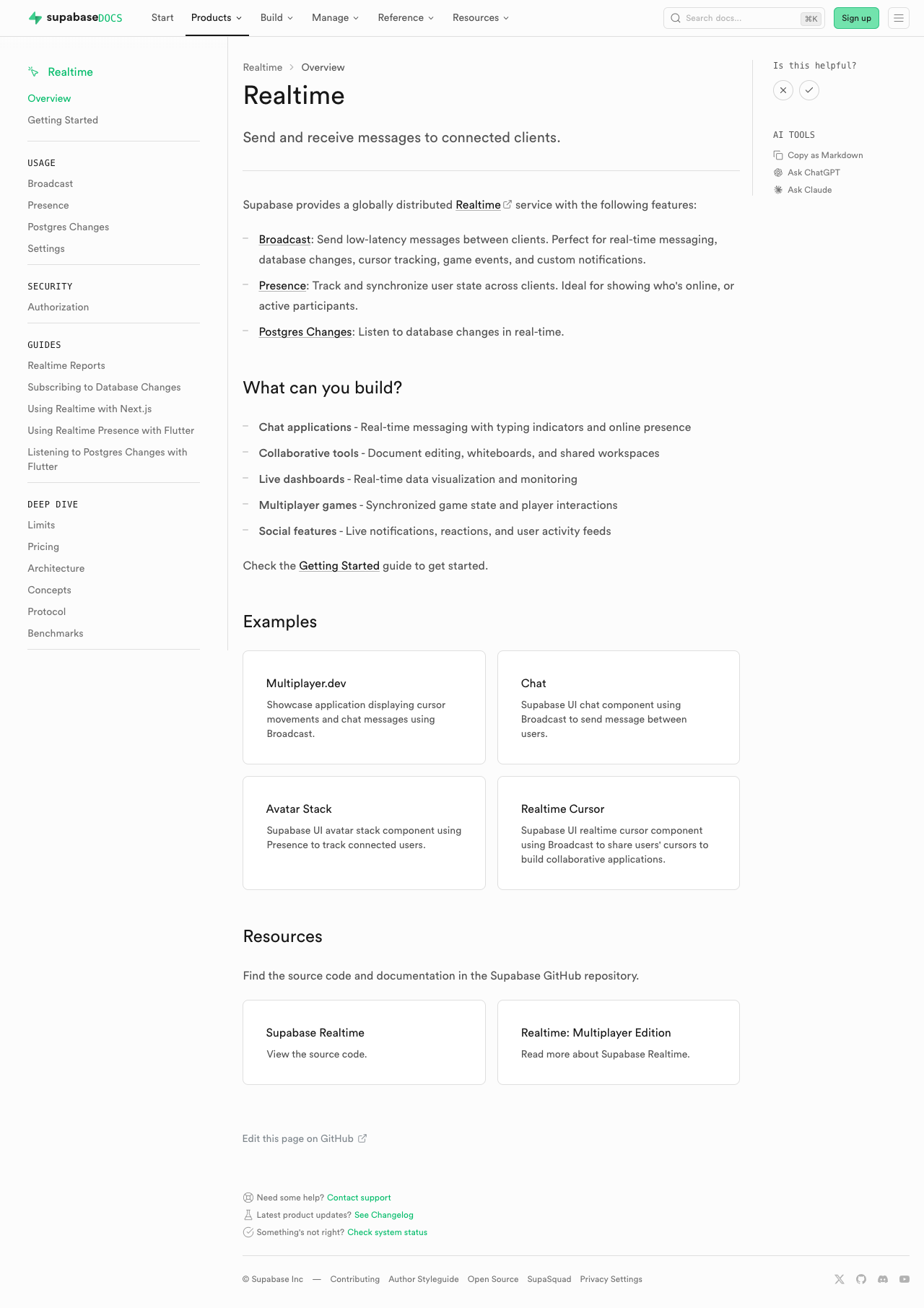 | 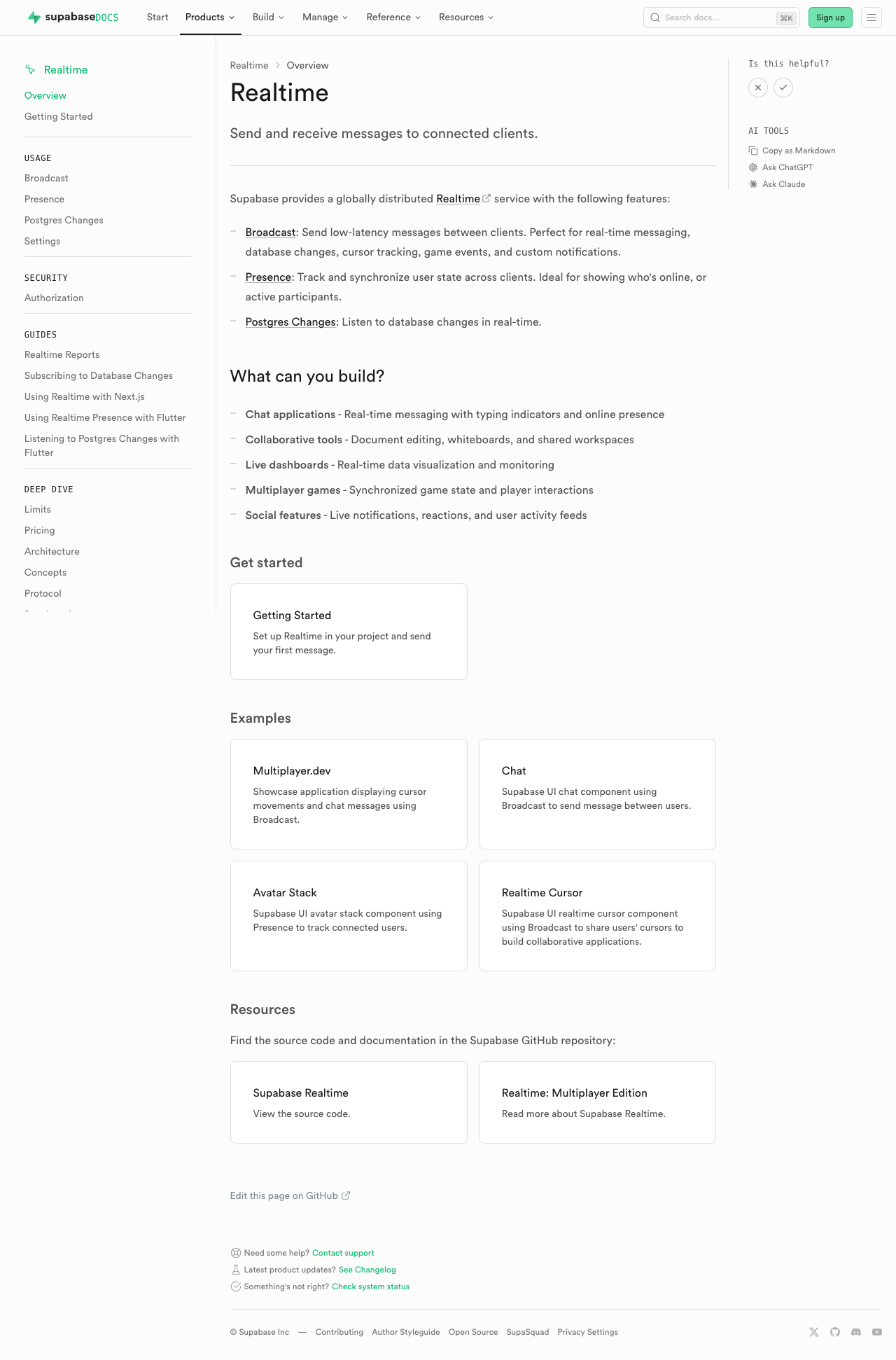 | #### Getting Started (partial migration for demoing) | [Before (production)](https://supabase.com/docs/guides/getting-started) | [After (preview)](https://docs-git-fork-nrichers-nikrichers-docs-1032-sta-e2a8cb-supabase.vercel.app/docs/guides/getting-started) | | ------------------------------------------------------------------------------------------------------------------------------------------------------ | ------------------------------------------------------------------------------------------------------------------------------------------------------ | | 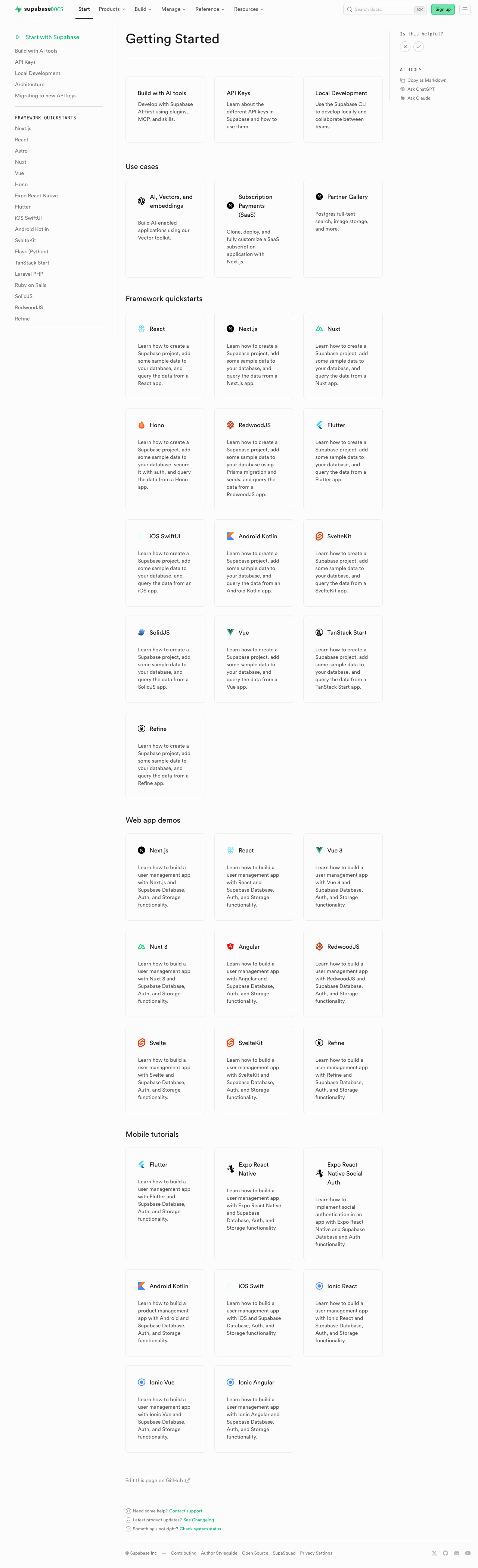 | 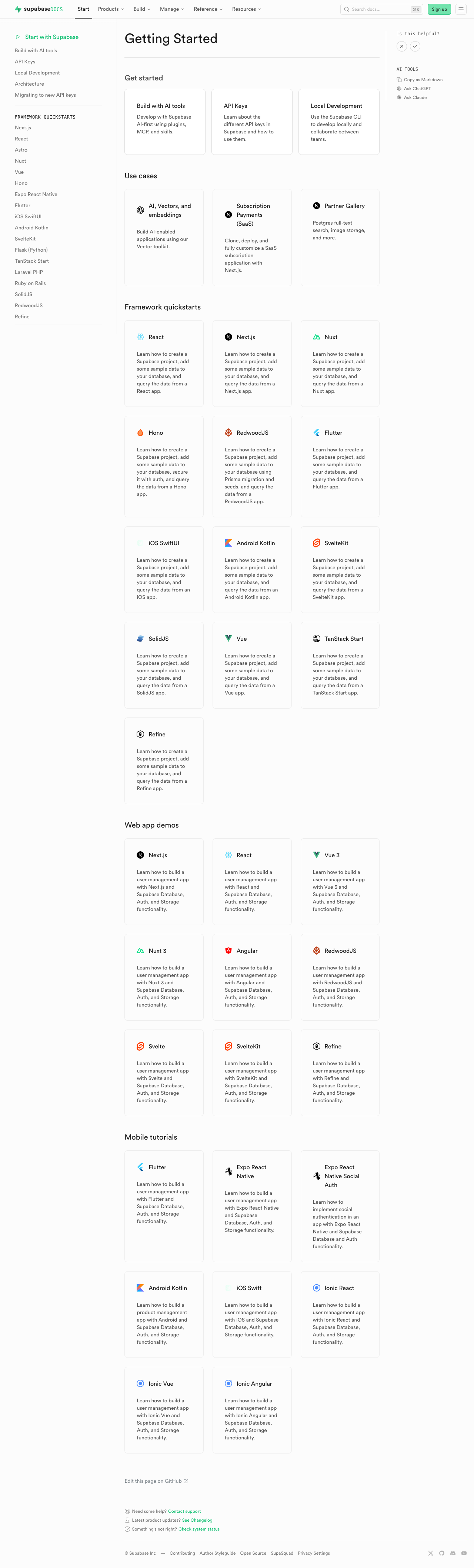 | ### Test plan - [ ] Visually verify migrated pages render correctly: - [ ] `/guides/auth` — grid "Get started", conditional pricing list, grid "Next steps" - [ ] `/guides/database/overview` — get started + next steps listings - [ ] `/guides/getting-started` — top 3-column grid - [ ] `/guides/functions` — get started + example listings - [ ] `/guides/storage` — get started, examples, resources listings - [ ] `/guides/realtime` — get started, examples, resources listings - [ ] Confirm listings render at explicit page positions - [ ] Click a content listing link and verify `docs_content_listing_clicked` fires in PostHog with expected properties (the new `listingId` is the namespaced kebab-case id, e.g. `storage-get-started`) - [ ] Build docs and confirm `.md` alternate output includes listing sections at component placement (e.g. `public/markdown/guides/storage.md`) - [ ] Run unit tests: `pnpm test:local lib/content-listings.test.ts` in `apps/docs` ## Summary by CodeRabbit ## Release Notes * **New Features** * Introduced a standardized content listings system for organizing related guides and resources. * Content listings now support both grid and list layouts for consistent presentation. * Added click telemetry for content listing interactions. * **Documentation** * Updated authentication, database, functions, getting started, realtime, and storage guide pages to use the new content listing components. * Improved MDX structure examples and listing markup formatting in contributor documentation. <!-- end of auto-generated comment: release notes by coderabbit.ai --> <!-- This is an auto-generated comment: release notes by coderabbit.ai --> ## Summary by CodeRabbit ## Release Notes * **New Features** * Introduced a new content listings component for displaying guide content in list and grid layouts across documentation pages. * Added telemetry tracking for content listing interactions to measure user engagement. * **Documentation** * Updated guide pages (Authentication, Database, Functions, Storage, Realtime, Getting Started) to use the new listings layout. * Added contribution guidelines for creating and managing content listings in documentation. * **Tests** * Added comprehensive test coverage for content listings validation, serialization, and rendering. <!-- end of auto-generated comment: release notes by coderabbit.ai --> --------- Co-authored-by: Nik Richers <nik@validmind.ai> Co-authored-by: Jeremias Menichelli <jmenichelli@gmail.com> |